Polish
Grammar polish fixes issues on hover in the editor; content polish rewrites a paragraph with library context you can add, remove, accept, or dismiss.
Flowing has two polish modes: grammar polish for quick in-place fixes as you hover the draft, and content polish for paragraph rewrites grounded in your library—with context snippets you control before accepting a suggestion.
Grammar polish
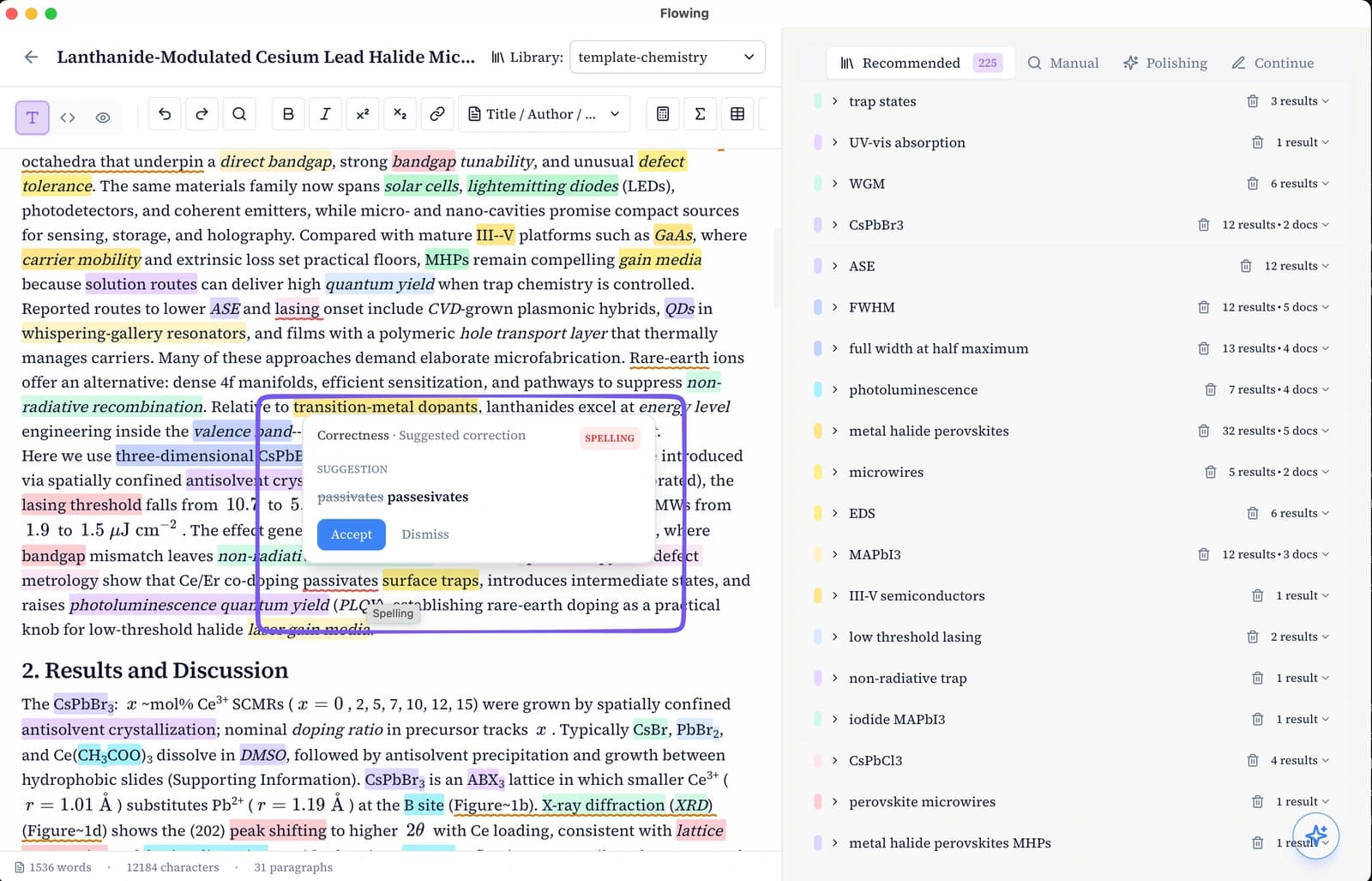
While you write, hover over text in the rich-text or LaTeX editor. Flowing flags grammar and style issues inline; click the fix control to apply a correction on the spot—no panel switch required.
Content polish
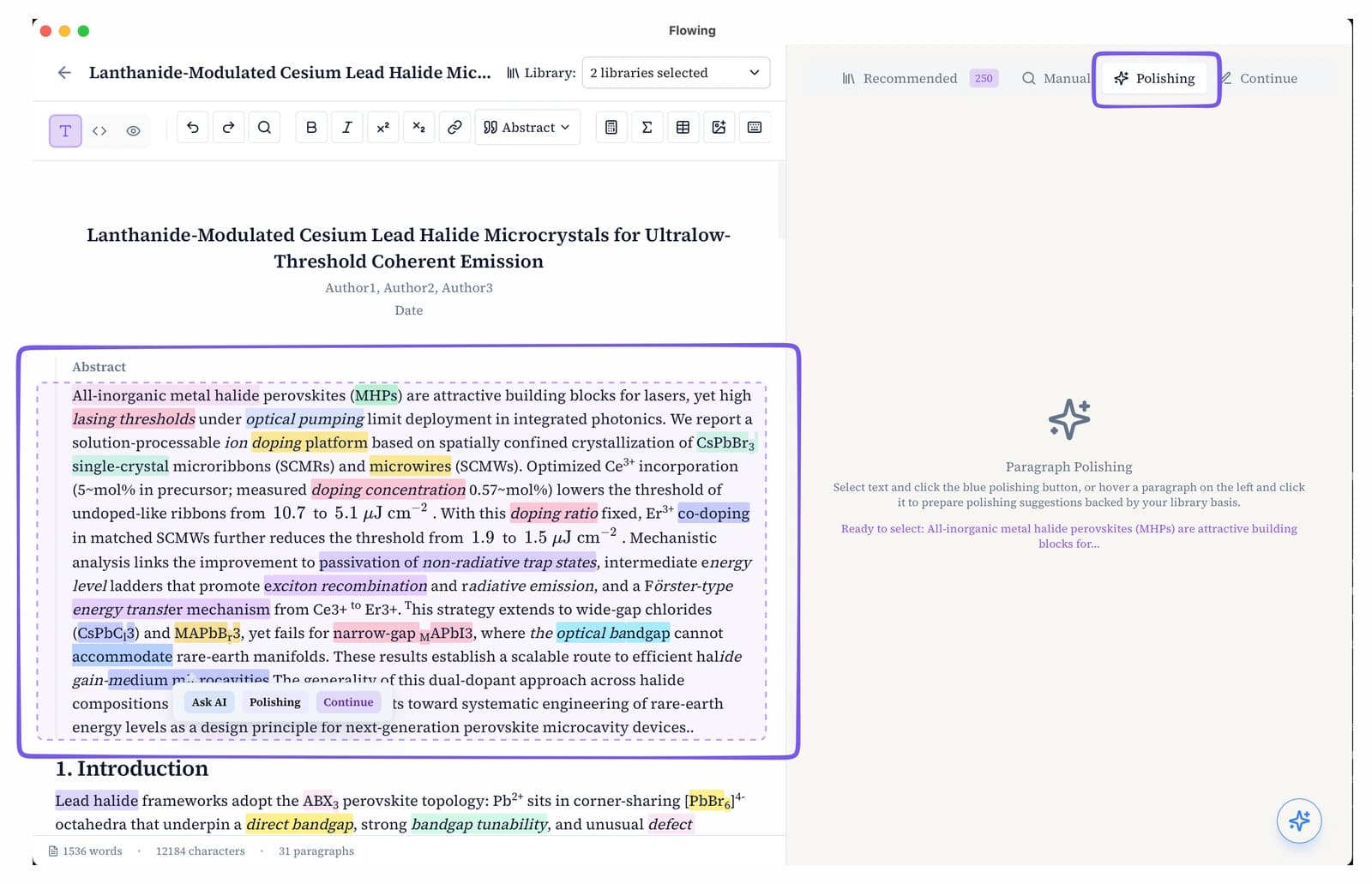
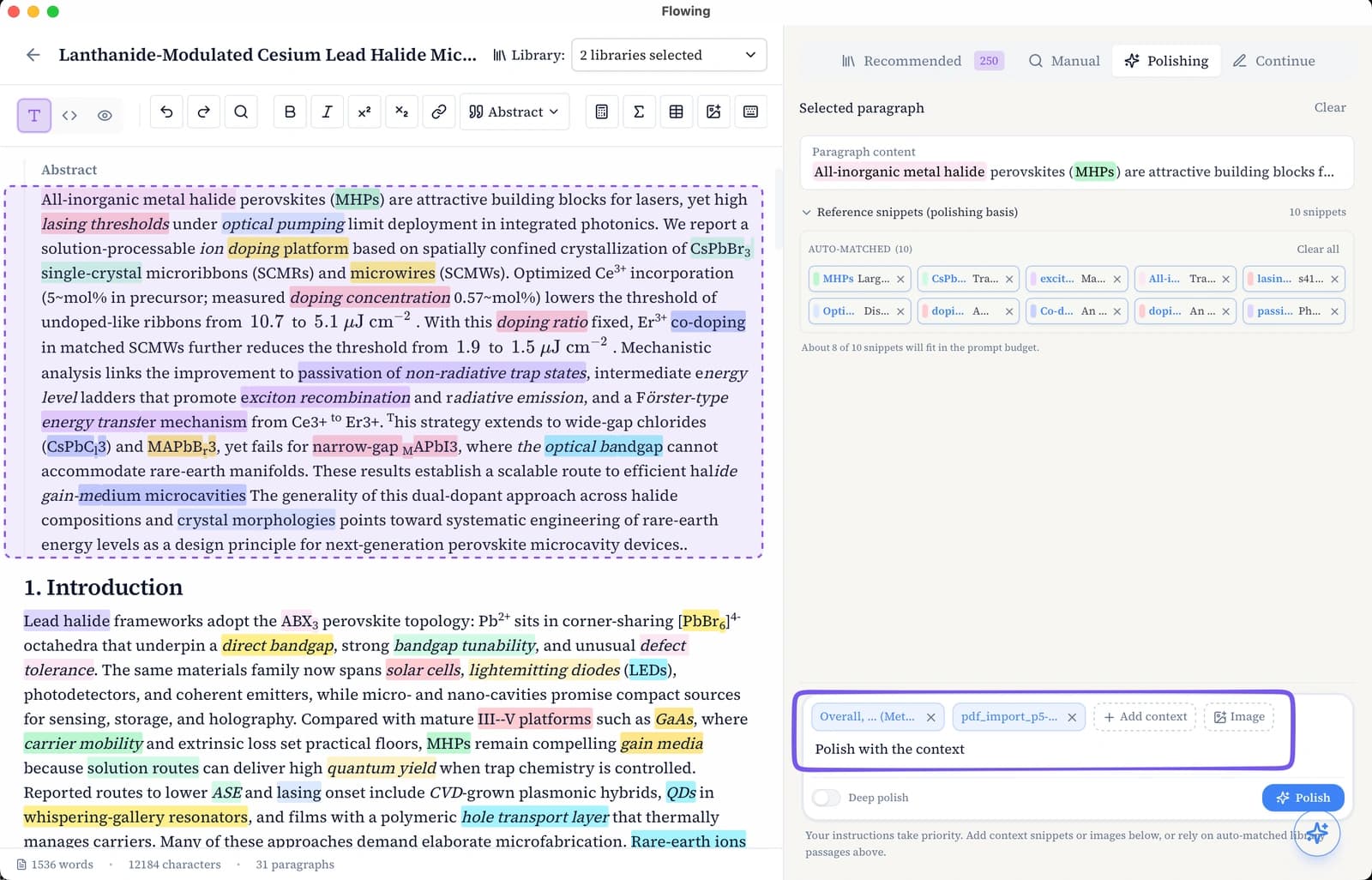
Open the Polishing tab on the writing page to enter paragraph-pick mode. Hover a paragraph to see a dashed outline (rich text and LaTeX both work), then click to select it—the paragraph and its keywords appear in the right panel.
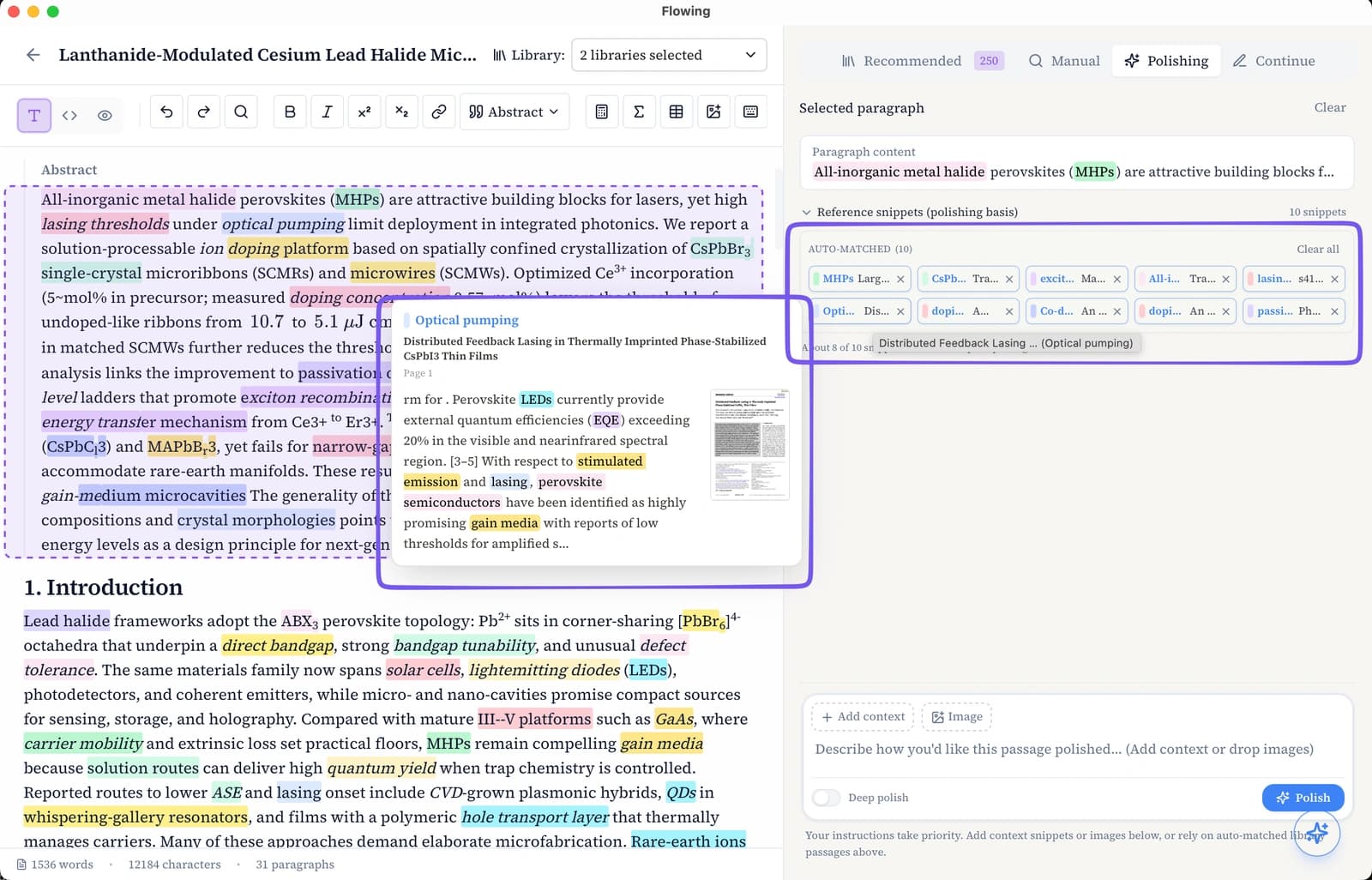
Flowing pre-loads up to 10 library passages matched to the paragraph’s keywords as context chips. Remove any chip you do not want, or add more from your library before generating suggestions.
Add your context
Beyond the auto-matched chips, you can add context by hand before you generate. In the context area, type @ to search your library and pick a paper—then select text or box a figure region in the preview. Each pick becomes a context chip (text excerpt or image snippet). Combine hand-picked sources with the matched passages until the context reflects what you want the rewrite to draw on.
Result card with evidence
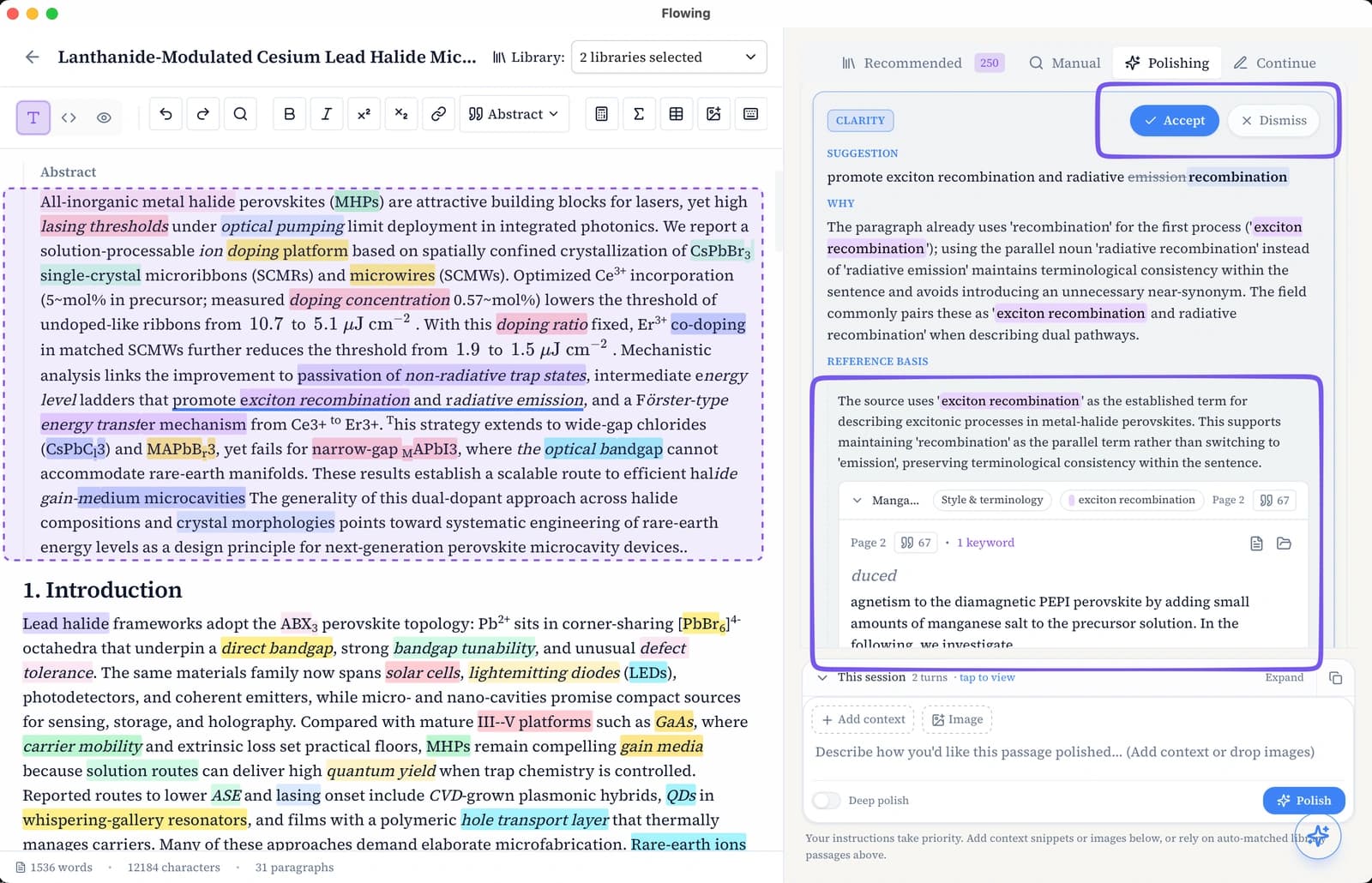
Each suggestion appears as a result card. The proposed rewrite sits at the top; below it, the evidence panel lists the library passages that ground the text—excerpt text, source title, and page thumbnails you can preview. Review the basis, then Accept to apply the rewrite to your paragraph or Dismiss to skip. Flowing never auto-replaces the whole paragraph without your confirmation.