
Recall
Surface relevant library snippets as you write. Click a thumbnail for a full-page preview; click the card corner or highlighted keywords to open the source PDF.
Recall is finding library passages that match keywords in your draft. Flowing spots keywords and domain terms as you write, pulls matching passages from your library, and shows them as cards.
Recommended tab
As you write, the Recommended tab fills with terms found in your draft (for example, PLQY, XRD, material names). Each row shows how many snippets and documents matched. Click a term to expand snippet cards.
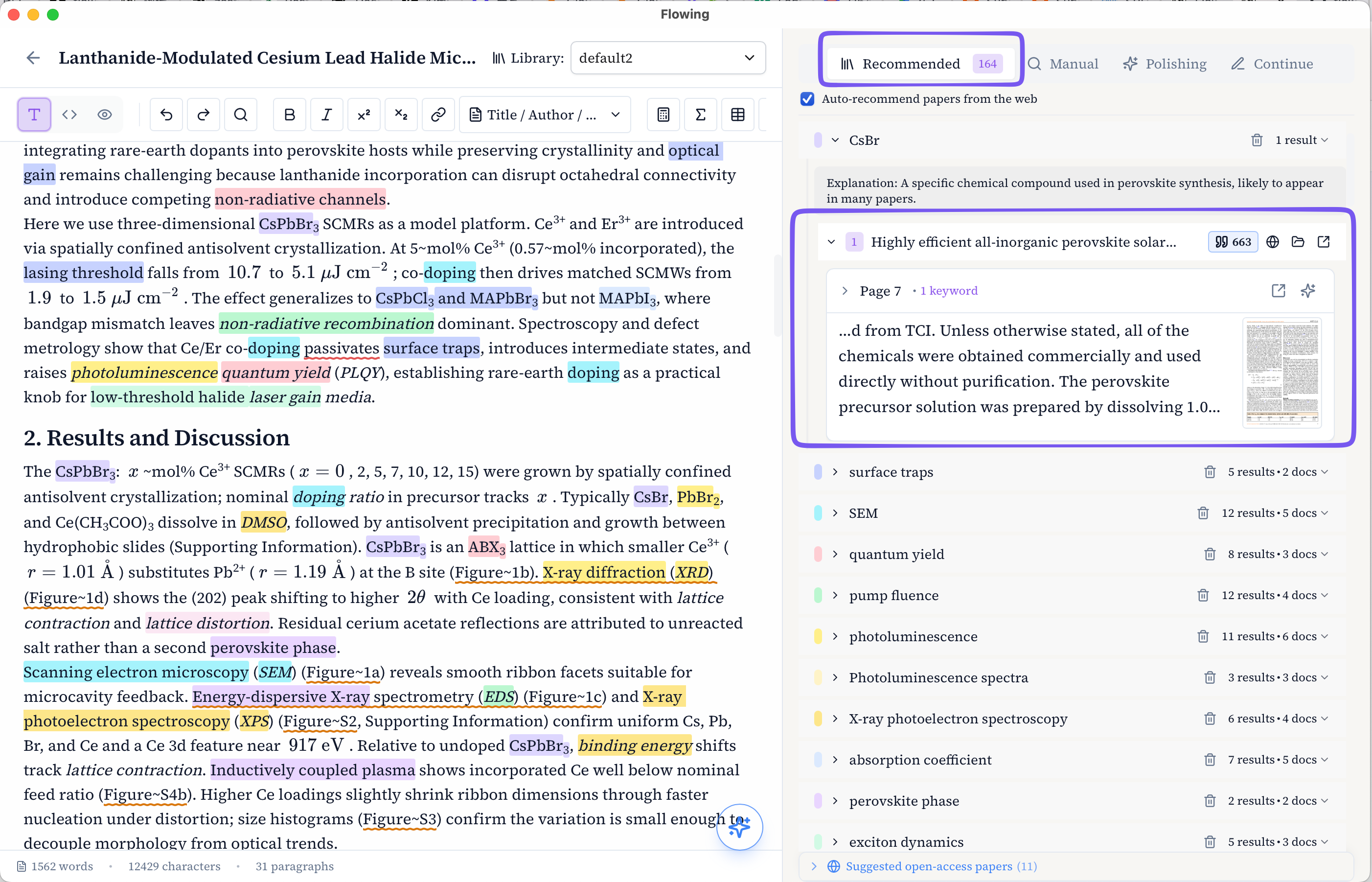
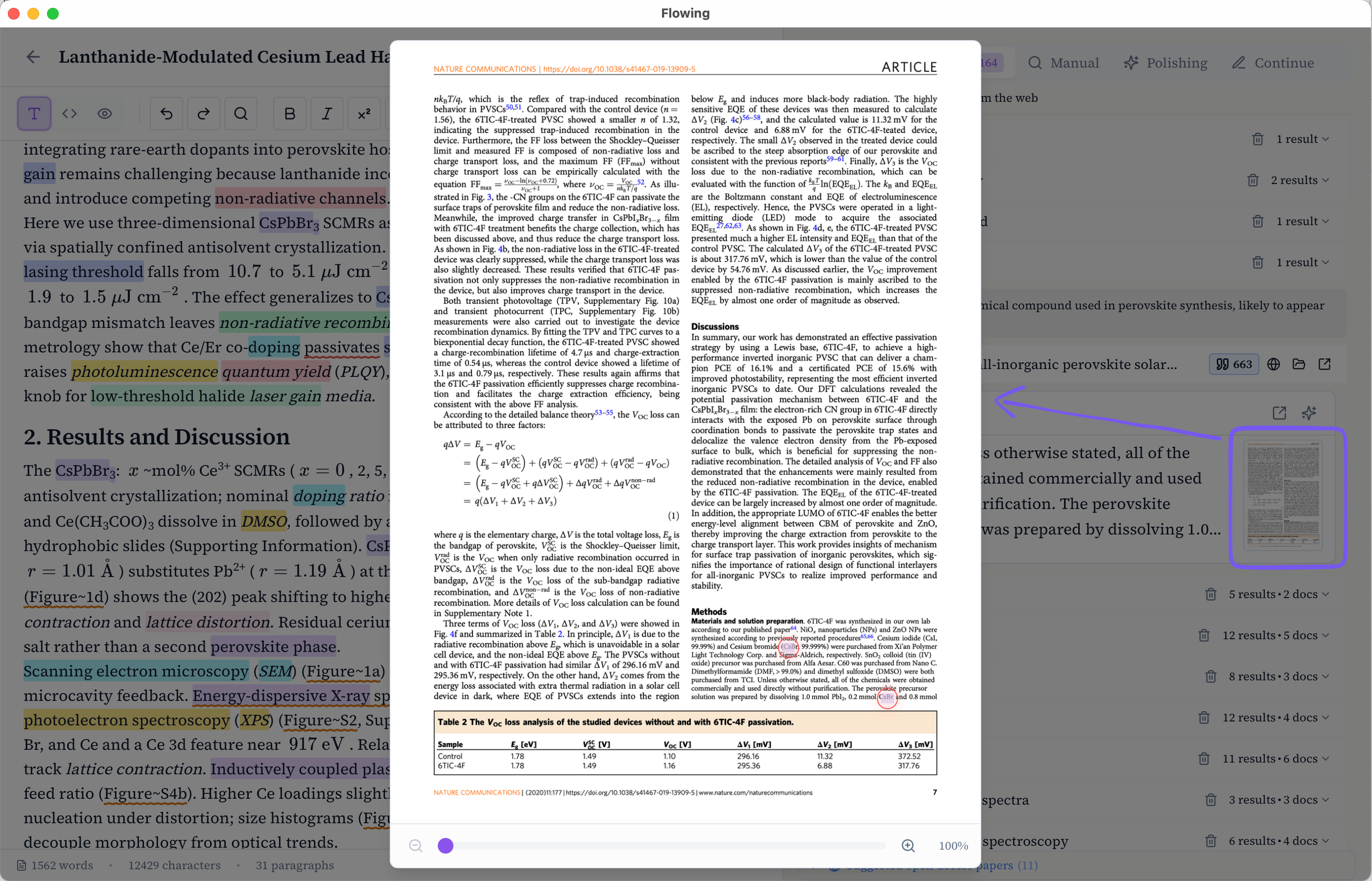
Thumbnail preview
Click the thumbnail on a snippet card to open a full-page preview of that source page—the matched passage is highlighted in context, with figures and layout intact.
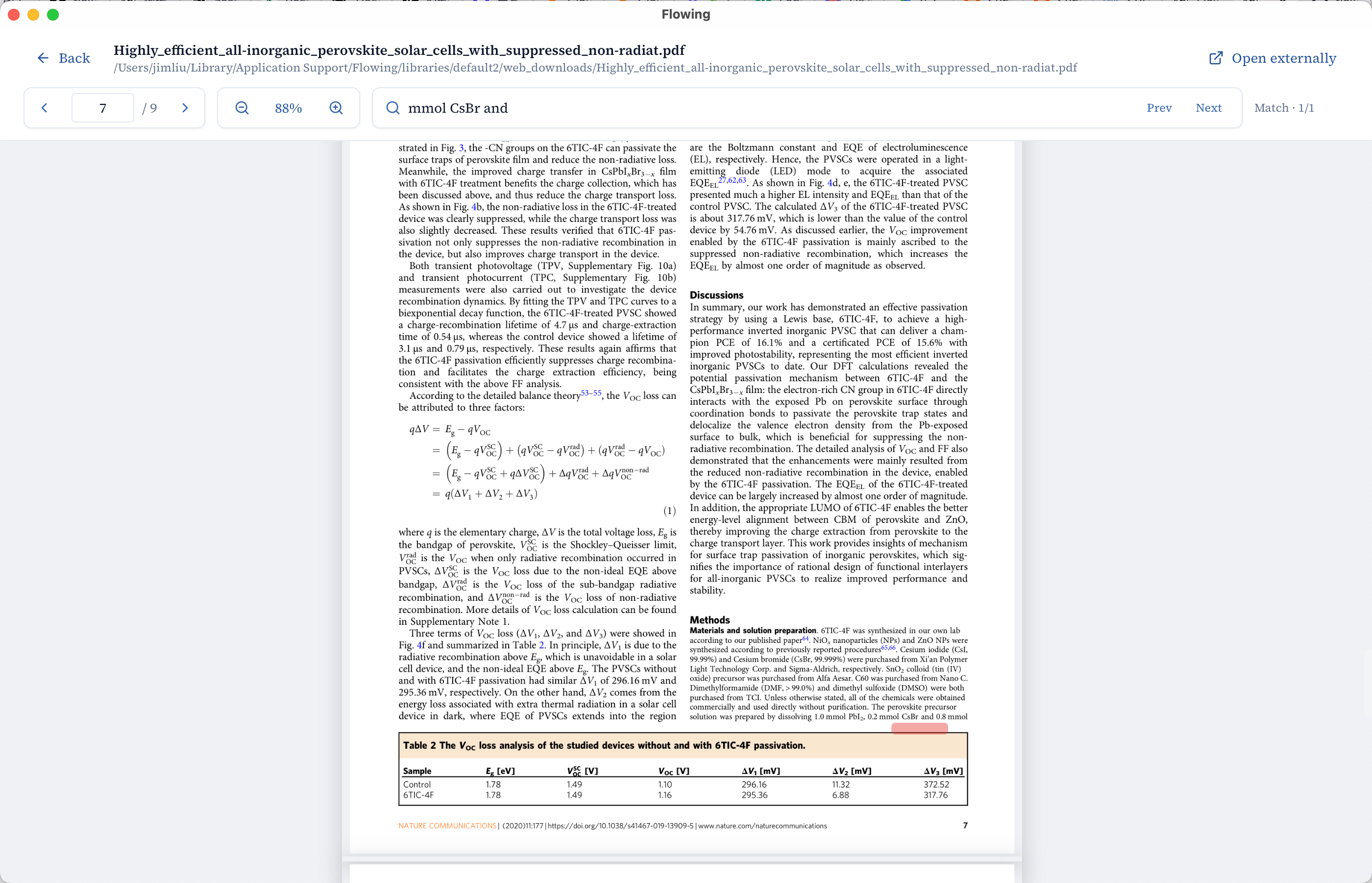
Jump to the source PDF
To open the original PDF at that passage, click the top-right corner of the card or any highlighted keyword in the excerpt—not the thumbnail itself.
Check the paragraph against library evidence
Once Recommended has keywords and matching snippet cards, Flowing automatically checks qualifying draft paragraphs against the retrieved evidence. A left-gutter mark opens “Check paragraph against library evidence”: the paragraph on the left, red / green / yellow cards on the right.
The next chapter walks through the left-gutter mark and the “Check paragraph against library evidence” dialog, with screenshots of the three card kinds.