Evidence-backed autocomplete
Pause at the cursor, click the sparkle or press Tab, and get a gray inline preview in seconds; guide it with a passage or figure from your selected PDF library when needed.
Pause while writing, then click the sparkle beside the cursor or press Tab. Flowing generates the next sentence without requiring a prompt or opening a chat. When direction matters, add a note, a passage from your selected PDF library, or a figure from the manuscript.
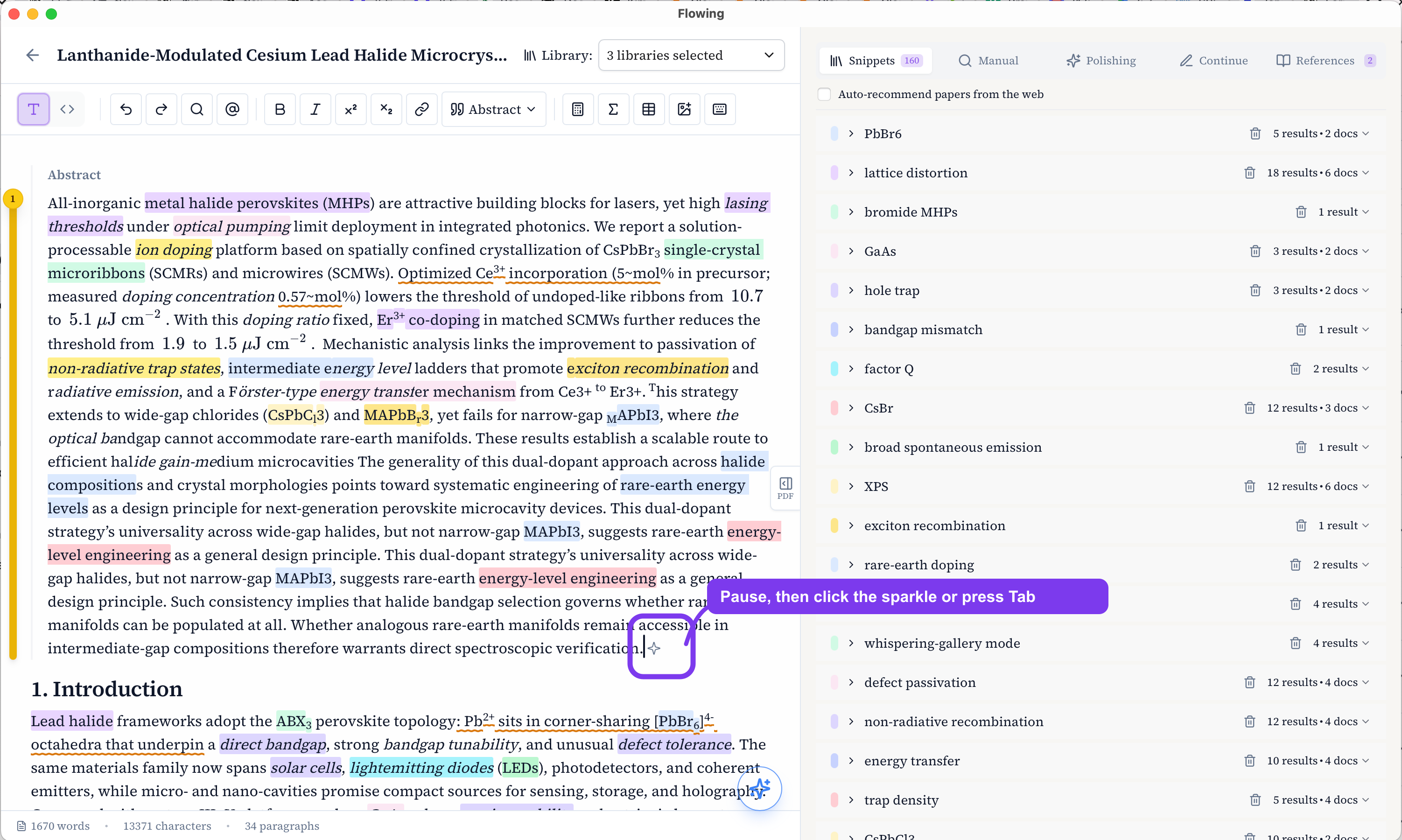
Generate without leaving the draft
After a short pause, the sparkle appears beside the cursor. Click it or press Tab to generate. Flowing reads the nearby manuscript context, can match relevant passages from the selected library, and shows a gray inline preview at the insertion point.
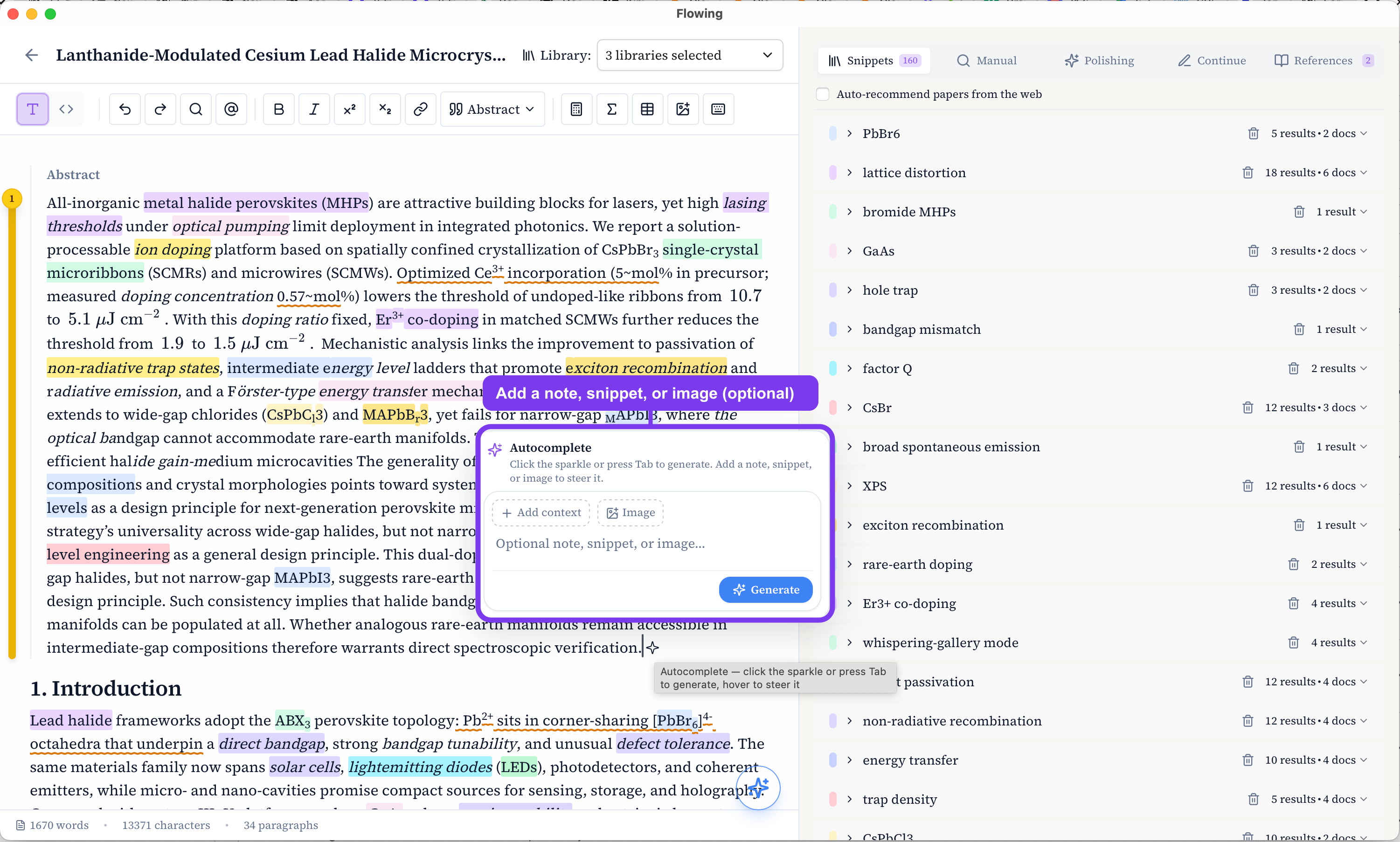
Guide the continuation when needed
Hover the sparkle to add an optional note, selected passage, or image. Leave everything empty for a direct completion, or add material when you need to steer terminology, mechanism, or direction.
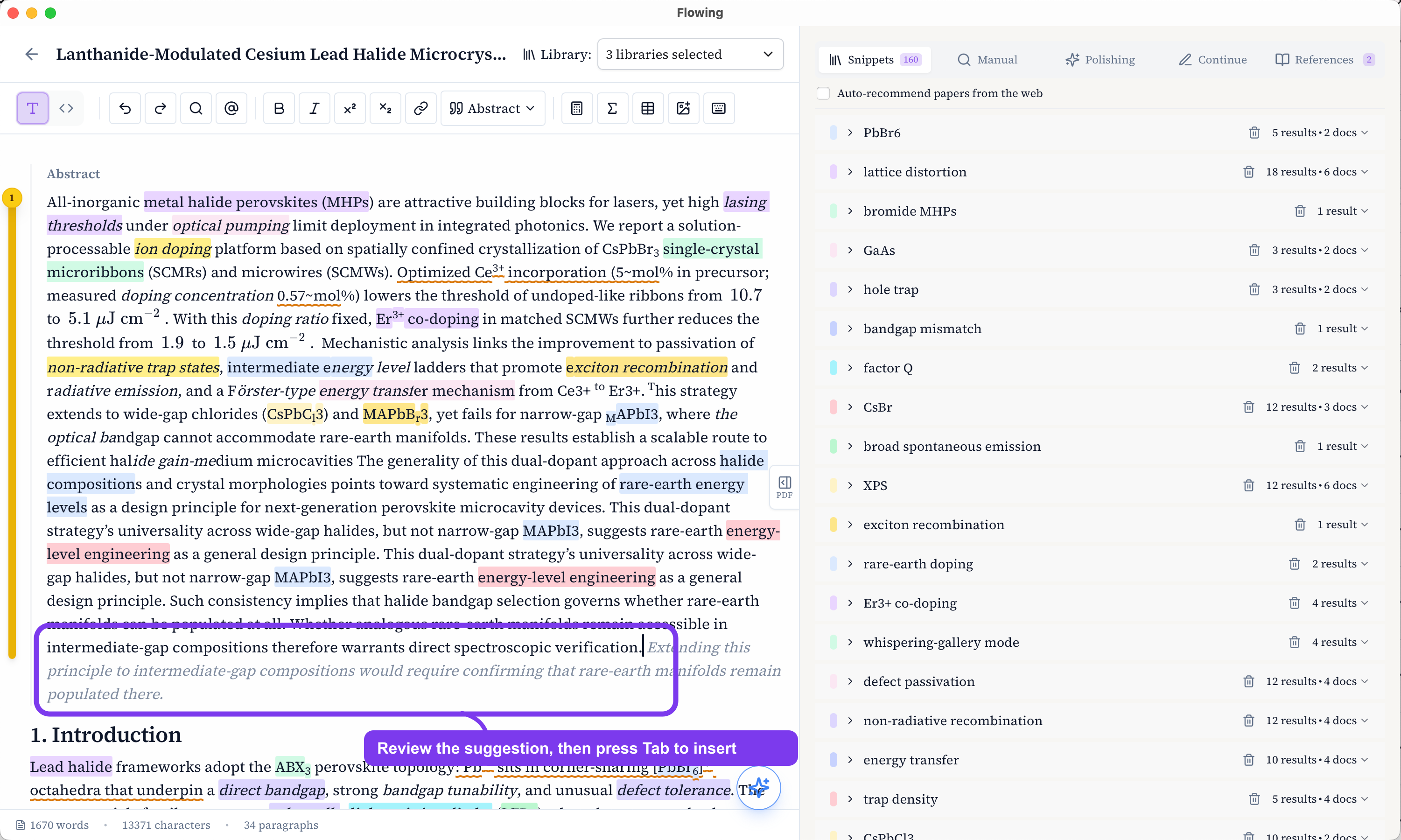
Review, inspect evidence, then insert
The suggestion appears as gray text after the cursor and is not inserted immediately. Review whether it fits the argument, inspect matched source passages when library material is used, then press Tab again to insert. You remain responsible for checking the scientific claim and citation fit.